Short version
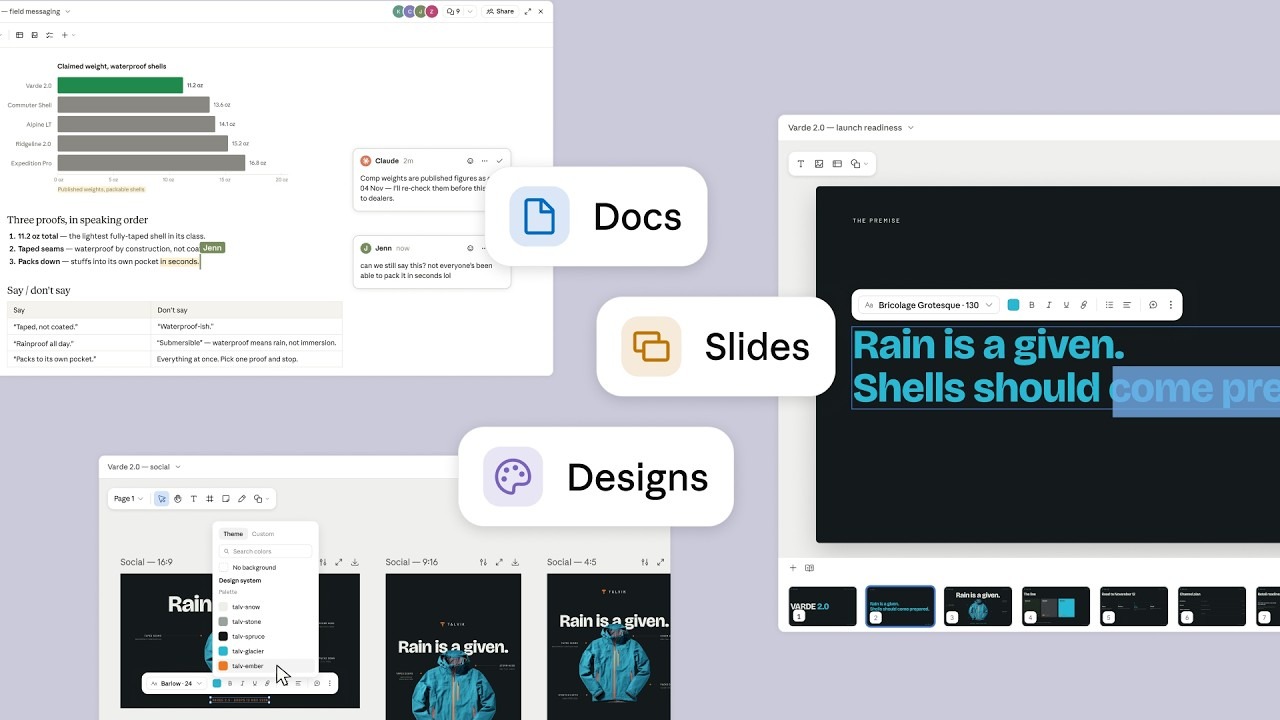
On 16 September 2026 Anthropic merged Claude Cowork and Claude chat into a single Claude and, in the same announcement, introduced Claude Docs and Claude Slides and moved Claude Design into ordinary conversations. Slides is the one most people will reach for first: you ask for a presentation, Claude drafts it, you edit any slide by hand, you present without leaving Claude, and you download PowerPoint or PDF. Because all three tools live in the same conversation, the deck, the images and the write-up come out of one brief.
About the walk-through
The step-by-step section below follows Anthropic's own launch demo, in which a fictional outdoor brand called Talvik launches a jacket — the brand and the person typing are invented; the shape of the work is the point.
Ask for a deck, present it, download the PowerPoint
Somebody in your office already knows what Friday's meeting needs to hear. What eats the afternoon is turning that into slides that look deliberate: the layout, the headline that fits on one line, the chart that sits where the eye lands. Claude Slides is aimed at that afternoon. You keep the argument; it does the first draft and the arrangement.
Anthropic sums the tool up in one sentence. Slides makes "presentations built from your notes, reports, or the work already in your conversation. Edit any slide directly, present without leaving Claude, and export to PowerPoint or PDF." Four promises are packed into that sentence, and each one is worth hearing on its own.
It starts from what you already have — the analysis, the report or the long thread you have been working in all week, not an empty prompt box. You can edit any slide directly. Click a headline, retype it; you are not stuck asking a chatbot to please fix the third bullet. You can present from inside Claude, so the window you drafted in is the window you stand up with. And you can export to PowerPoint or PDF, which is what decides whether a deck can leave the building at all.
Slides is an artifact — Anthropic's word for something Claude builds in a panel beside the conversation instead of typing into the chat: a document, a design, a deck. The practical effect is that a finished deck is a link rather than an attachment: "anything you make with Claude Design, Slides, or Docs lives at one shareable link you can open on your phone".
What this means for you: if the deck you need is the first draft of an internal story — a weekly review, a status update, a proposal you will argue over anyway — that is now a ten-minute job ending in a .pptx file on your desktop.
Three ways in: a sentence, the Output menu, or a template
There is no separate app to find, which is the point of the redesign. Anthropic documents three ways in. The first is simply asking in a conversation; the example on Anthropic's own page is "Turn this analysis into a 10-slide deck I can present on Monday." The second is the Output menu in the message box: choose Slides before you type, and there is no ambiguity about what you want back. The third is the Artifacts tab, where you start from a template instead of a blank deck.
That Output menu is visible in both launch videos. It lists Docs, Slides and Design, plus an entry called Artifact described on screen as "Let Claude pick the format" — the redesign in miniature: you say what you want, not where it should be made.
What this means for you: teach a colleague the Output menu rather than a clever prompt. "Pick Slides, then describe the meeting" survives contact with people who do not enjoy prompting.
A real deck from a real brief: what the launch video shows
Watch the ninety seconds slowly and you get what a feature list cannot give you: the rhythm of the work. A brand called Talvik is launching a waterproof jacket, the Varde 2.0, and a colleague called Frankie has a readiness review on Friday.
The brief is one line. Frankie drags a ZIP called varde2.0-launch-kit.zip into the message box, picks Slides from the Output menu, attaches a project called "Talvik Design System", and types, in lower case: "here's the launch kit for the Varde 2.0. build the reveal deck for fri's readiness review." That is the whole instruction. No outline, no slide count, no notes on tone. While it works, Claude narrates in plain language — "Building the launch deck", then "Setting the headline in Talvik's brand voice".
Eight slides come back. The reply is one sentence — "Your deck is ready — eight slides, one job each." — followed by four bullets summarising the argument the deck makes, and an offer: "Want speaker notes before Friday? I'll keep them to a line per slide." The deck opens in a panel beside the chat, with a filmstrip of all eight slides along the bottom.
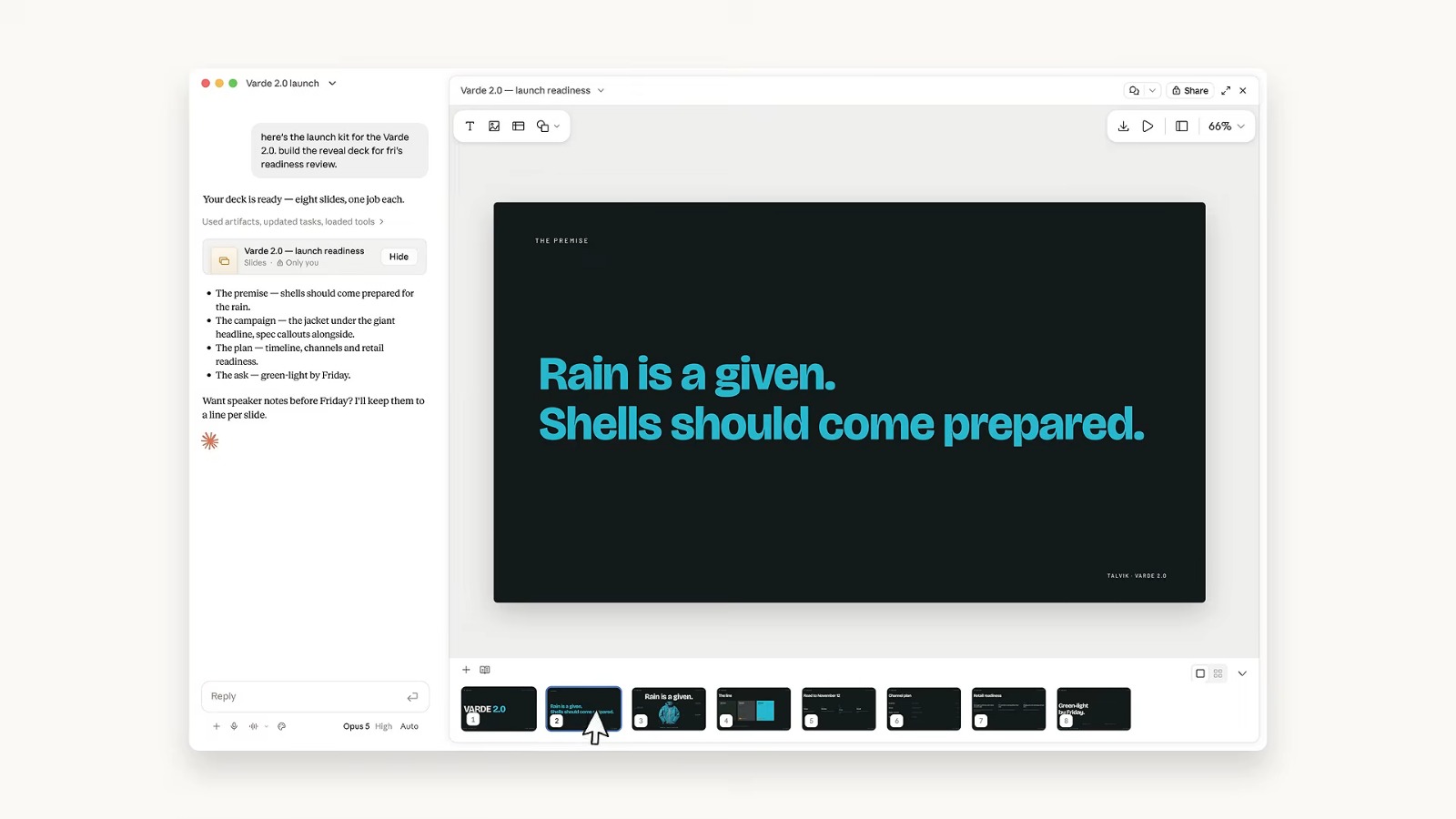
A headline gets fixed by hand. Slide 2 reads "Rain is a given. Shells should come prepared." Frankie selects the words "come prepared." on the slide itself. A small text toolbar appears — typeface and size, bold, italic, underline, link, alignment, a comment button — and the line is retyped as "Rain is a given. Shells should act like it." No prompt, no regeneration, no waiting. This is the most important second in the film: the deck behaves like a document you own, not like an output you have to negotiate with.
The colours came from the brand, not from a theme gallery. A panel slides over the deck, headed Design system, showing a palette of named colours: talv-snow, talv-stone, talv-granite, talv-shale, talv-spruce, talv-glacier, talv-ember. Those are Talvik's own colour names, lifted from the material attached to the conversation. The deck inherited a house style instead of a generic one.
The toolbar is deliberately short. Along the top: download, a play button to present, a split-view toggle, a zoom control; in the header, comments, a Share button with a padlock, expand and close. Everything the deck can do to leave Claude sits in that one row.
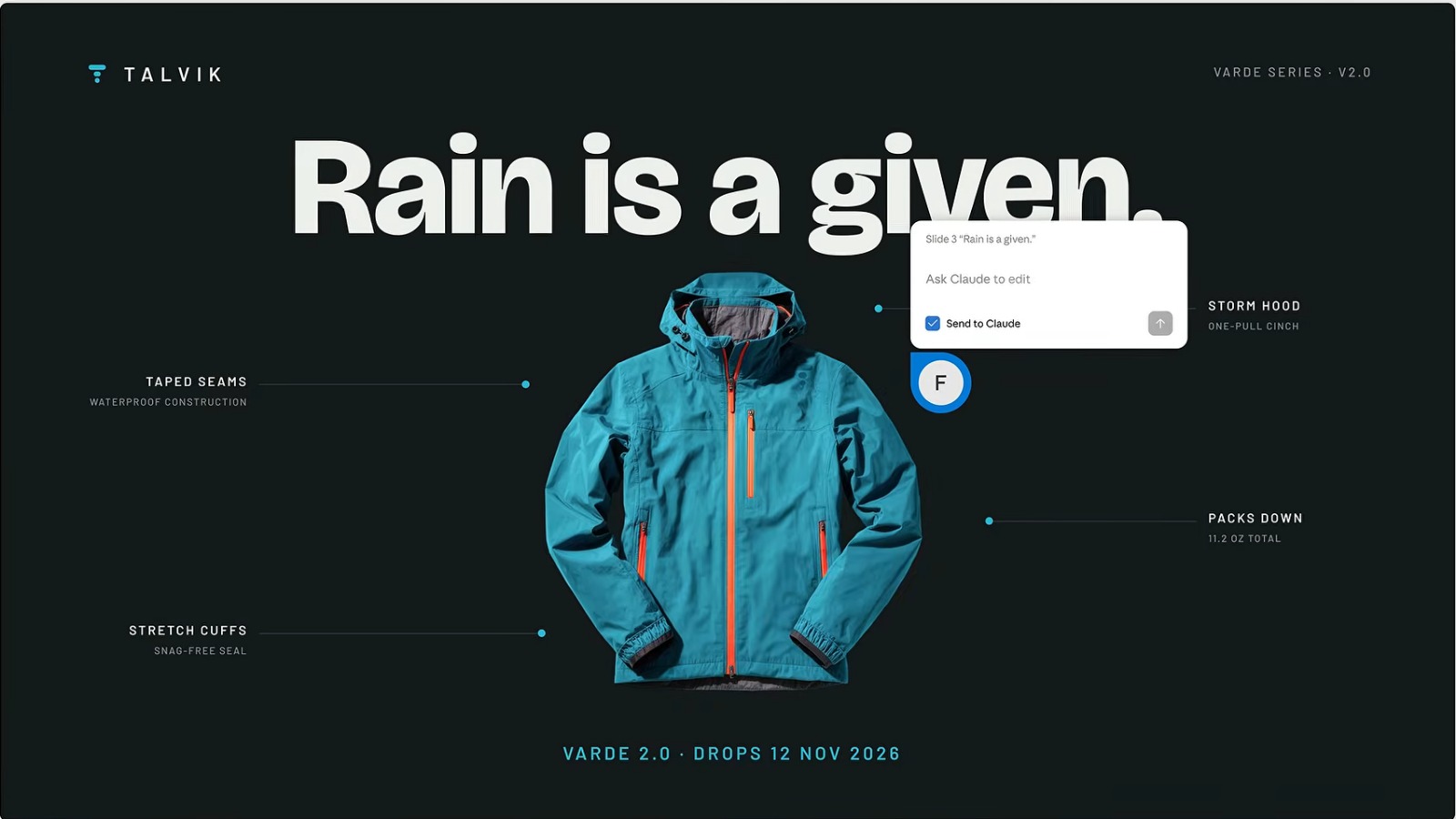
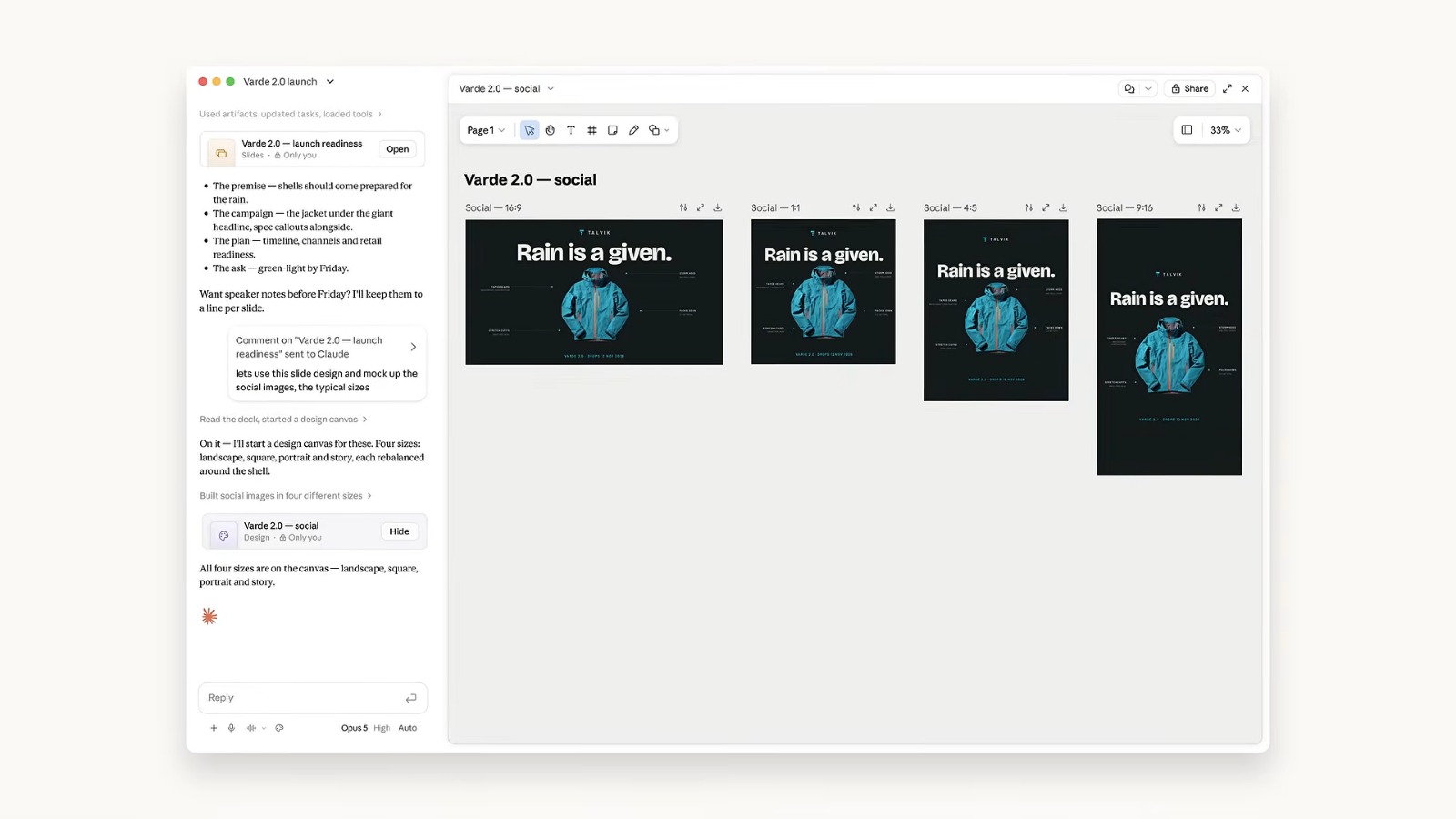
Then a comment addressed to Claude. On slide 3 — the jacket under the giant headline "Rain is a given." — Frankie opens a comment box on the slide. It is labelled Slide 3 "Rain is a given.", the field says "Ask Claude to edit", and a checkbox reading Send to Claude is ticked. The comment: "@Claude lets use this slide design and mock up the social images, the typical sizes". The answer arrives inside the same thread, attributed to "Claude · via Frankie": "On it — I'll start a design canvas for these. Four sizes: landscape, square, portrait and story, each rebalanced around the shell."
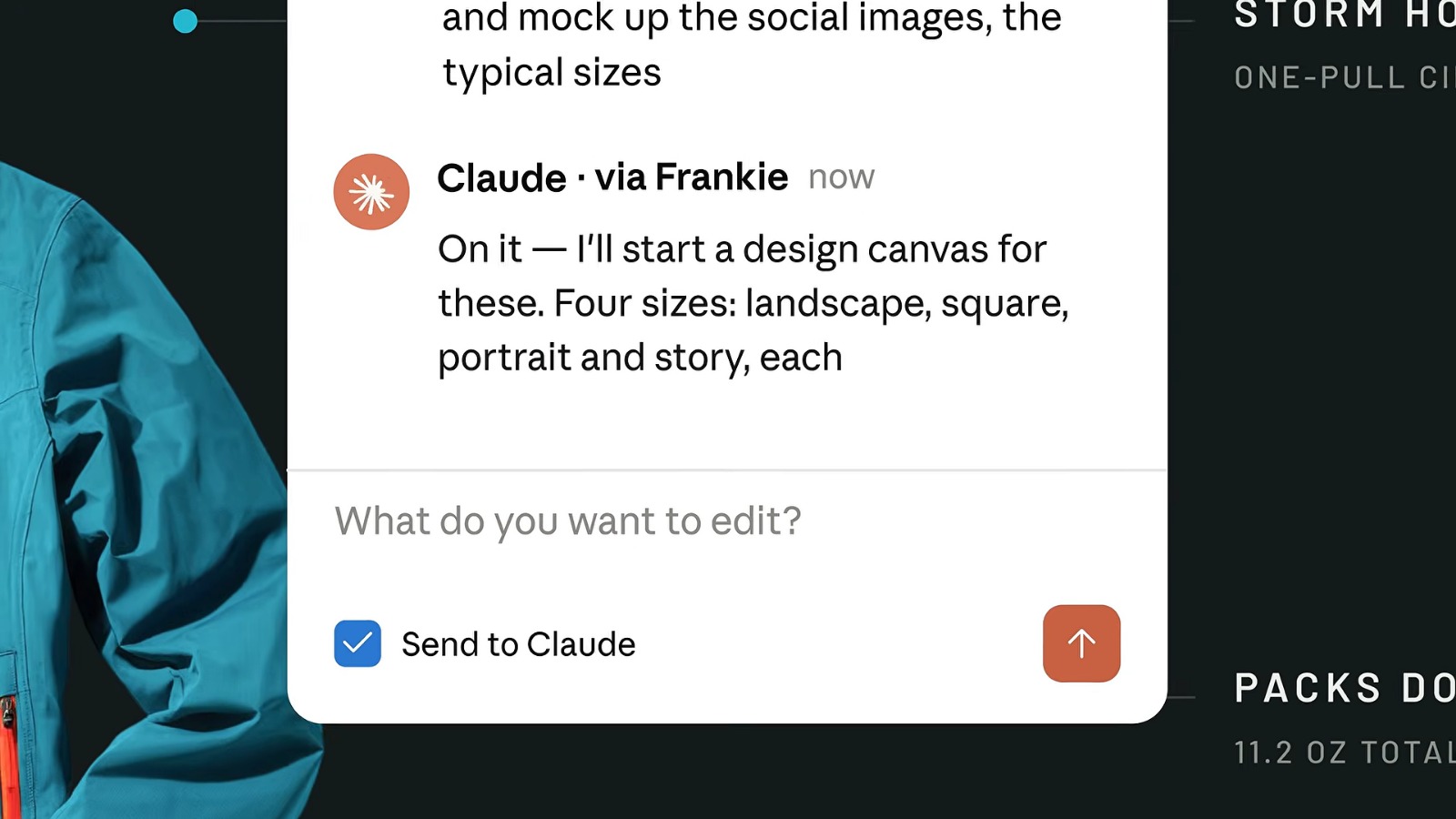
One comment becomes four images. Back in the chat, Claude reports "Read the deck, started a design canvas", and a second panel opens: a Claude Design canvas called "Varde 2.0 — social" with four artboards side by side, labelled Social — 16:9, Social — 1:1, Social — 4:5 and Social — 9:16. Frankie selects elements on the canvas and nudges them by hand, exactly as on the slide. Then a second comment to @Claude — "update the accent colour and image size and placement across all versions" — carries one manual change across all four at once.
And then the deck becomes a document. The next line Frankie types is "sweet, now let's turn the deck into a one-pager for the field team". Claude does not start writing. It asks first — "Should the one-pager lead with the taped seams or the weight?" — and offers two answers to click, plus "Something else…" and "Skip". Frankie picks the weight, and Claude explains why that was the better call before it writes a word.
The one-pager then assembles itself as a Claude Docs document: a title, a date, headings, a bar chart comparing the jacket's weight with four competitors, a table of colourways and stock numbers, a numbered list of proof points. Two colleagues' cursors are moving in the document while it is being written, named on screen, and margin comments appear from a colleague and from Claude — including Claude flagging, unprompted, that the competitor weights are published figures it wants to re-check before the sheet goes out to dealers.
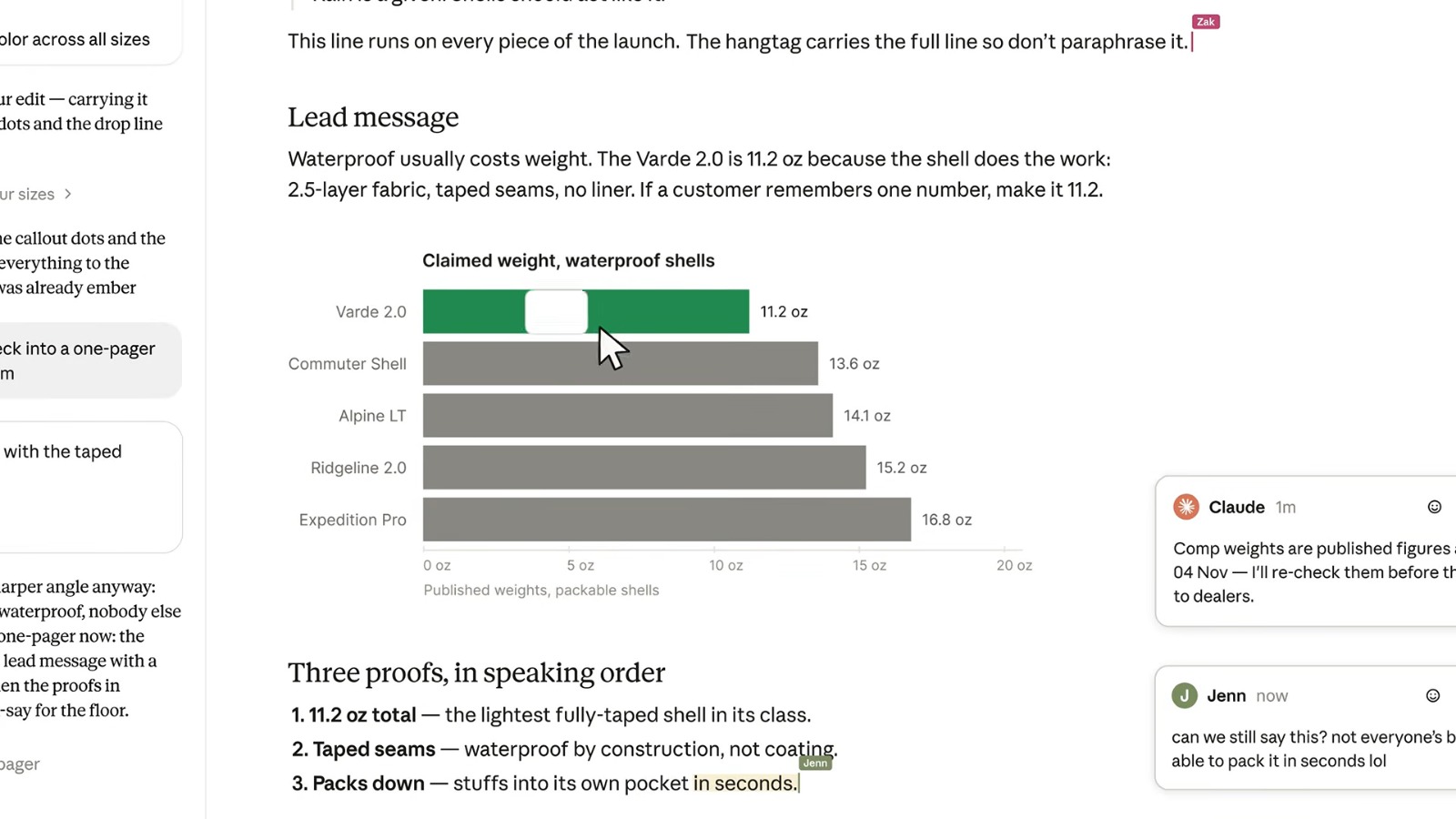
The film ends on a line typed by two cursors at once, one labelled Claude and one labelled You: "Claude makes it. You steer it." Count what happened in between. One ZIP file, one sentence, two comments and a follow-up line produced an eight-slide deck, four social formats and a one-page handout — and nothing was explained twice, because it all happened in one conversation.
Slides, the PowerPoint add-in, or the old Cowork file: which one when
Claude makes presentations in more than one way, and the two that matter are not interchangeable. Slides is the new one, inside the conversation. Claude for PowerPoint is an add-in — a small extension that runs inside Microsoft PowerPoint itself, so Claude works on your actual file. The choice comes down to what kind of deck you are making.
| What you want to do | Use this | Why |
|---|---|---|
| Build a deck from scratch, quickly | Claude Slides | It drafts from your notes, a report or the conversation itself, and you edit any slide directly in the same window |
| Build a deck on the corporate template | Claude for PowerPoint | The add-in "reads the slide master, layouts, fonts, and color scheme in your deck and uses them" |
| Fix a deck that already exists | Claude for PowerPoint | It is built for it: "edit specific slides without regenerating everything", and turn bullets into diagrams and native charts |
| Present it and send it round | Claude Slides | Present without leaving Claude, share one link that opens on a phone, or export PowerPoint or PDF |
There is an older route some people learned first: before the merge, Claude Cowork produced a .pptx as a downloadable file. Cowork is no longer a separate place, so Slides has that job now.
Two things do not fit in a table. The add-in has real system requirements: PowerPoint on the web, on Windows with Microsoft 365, or on Mac from version 16.46 upward — not the perpetual-licence PowerPoint 2016 or 2019, and not iPad or Android. And Anthropic asks you to use it with files you trust, because a document can carry hidden instructions the model reads as if you had typed them. A deck a stranger emailed you is not a file you trust.
What this means for you: draft in Slides; open PowerPoint when the template or the existing file is the point.
Docs and Design, the other two that arrived
Claude Docs is the document half of the same idea: a place to "write living documents with Claude and the people you work with". Ask for a document in any conversation and Claude "drafts it in front of you, asks clarifying questions up front, and leaves comments explaining its choices" — exactly the behaviour the launch video shows. People with edit access work on the same document at the same time as you and Claude, everyone's edits appear in real time, and mentioning @Claude in a comment asks it for a change.
Documents are private until you share them: on Pro and Max with anyone who has the link, on Team and Enterprise with named people or groups. Exports are Word, PDF, Markdown and Google Docs — and from the same page, you can "ask Claude to turn a doc into a presentation with Claude Slides".
Claude Design is the one that is not new. It makes "designs, interactive prototypes, one-pagers, and other visual work", and it has been its own product since April 2026, as TechCrunch notes. What changed is where it lives: it now works inside any conversation, including in Claude Code, while the standalone site keeps working as before. You change a design by chatting, by commenting on one component, or by editing the canvas directly, and you export as ZIP, PDF, PowerPoint or standalone HTML.
What this means for you: the interesting part is not any one of the three, it is that they share a conversation. The deck, the social images and the one-pager are the same material three times over.
Why now: one Claude, no tab to choose
None of this arrived on its own. It came with a reorganisation, and that is the reason the three new tools can be everywhere at once.
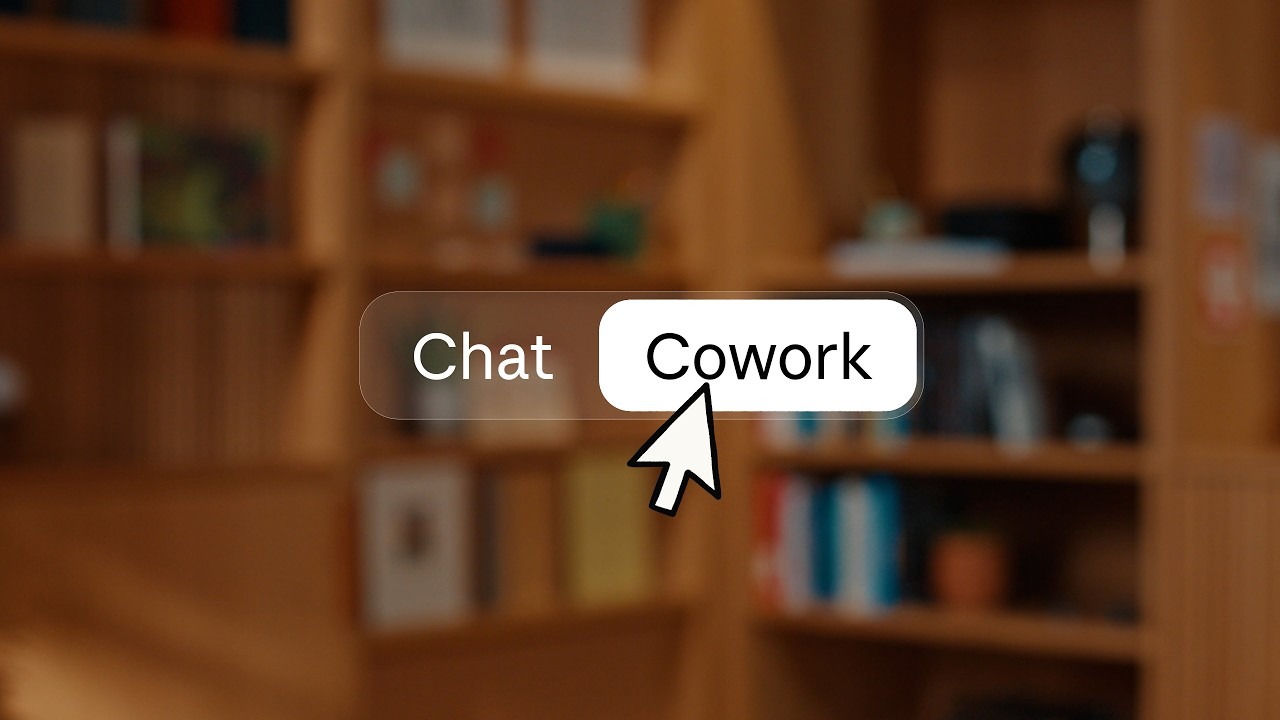
Cowork was Claude's separate room for bigger, multi-step work; chat was for questions. Anthropic's explanation of why that stopped working is unusually plain: "People used both, and told us the frustrating part was deciding where a task belonged. What they'd started in one also didn't carry into the other. So we stopped making you choose." In the video, Meaghan Choi puts it as a design problem rather than a feature: Cowork "got so good at deciding what a task actually needs, keeping it in a separate place just stopped making sense."
So there is no mode to pick any more. In Anthropic's words, "these are merged into a single conversation, so you don't need to decide which option better suits your task before getting started". TechCrunch reported that customers had often struggled to choose the right tab for the right task, and The New Stack put it more sharply: "Anthropic bet users were choosing wrong. So it removed the choice."
A handful of familiar things moved house. Cowork's tasks now sit in Recents alongside your chats. The web-search toggle is gone — Claude searches when it judges searching useful. Deep research is typed as /deep-research or reached from the "+" button. The Storage folder setting moved into Settings in the desktop app. Nothing was left behind: "your chats, tasks, projects, connectors, skills, artifacts, and files carry over" — connectors being the links to your other systems, skills the reusable instruction sets you have taught it.
One setting is worth knowing from day one: you choose how closely Claude checks in. By default it asks before taking an action, and you can let it keep working and come back only when something needs a second pair of eyes.
Who gets it, and when
The merged Claude is rolling out to Pro and Max plans first, on web, desktop and mobile, over the coming weeks. Team and Free plans follow soon after, and Enterprise administrators will hear from Anthropic at least 30 days before anything changes for their organisation. Until then, Team and Enterprise organisations keep chat and Cowork as they are today.
The three tools are a separate switch. Slides, Docs and Design are in beta on the Pro, Max, Team and Enterprise plans, they are not on the Free plan, and the phone apps let you view a document but not edit it. In an Enterprise organisation they stay off until an owner turns them on under Organization settings, Artifacts — and Slides has its own line there, which is the usual reason a team on Enterprise cannot see it.
Two things you can check in your own account in under a minute. You have the new Claude when the message box no longer offers you "Chat" and "Cowork" — that banner is Anthropic's own test. And the instructions you wrote for Cowork are still there, under Settings, General, now called "Instructions for Claude".
Official sources
- claude.comAnthropic: "Claude Cowork and chat are now one Claude" — the launch announcement, 16 September 2026
- support.claude.comAnthropic help centre: What are artifacts — the page that documents Claude Slides and the three entry points
- support.claude.comAnthropic help centre: Claude Cowork and chat are one Claude — what moved where
- support.claude.comAnthropic help centre: Get started with Claude Docs — sharing, exports, mobile
- support.claude.comAnthropic help centre: Get started with Claude Design — editing and export formats
- claude.comAnthropic developer docs: Claude for PowerPoint — requirements and template handling
- youtube.comAnthropic (Claude channel): "Meet Claude Slides, Claude Design and Claude Docs" — the film this article walks through
- youtube.comAnthropic (Claude channel): "Claude Cowork and chat are now one Claude" — Meaghan Choi on the merge
- techcrunch.comTechCrunch: Anthropic merges Claude chat and Cowork in one interface
- engadget.comEngadget: Anthropic's Claude can now create editable documents for you
- thenewstack.ioThe New Stack, Amanda Caswell: Anthropic's unified Claude interface
- gadgety.co.ilGadgety (Hebrew): Claude merges Cowork into the chat
- y4pc.co.ily4pc (Hebrew): Anthropic unifies Claude chat, Cowork, artifacts and Design in one interface