Short version
Google Pics is a new image tool in Google Workspace, built on Google's Nano Banana model. You describe an image and get several options, or you upload an existing image and change only one object, one region or one line of text. It can translate the text inside an image, crop to a new format and export at higher resolution. The real value for a company is not the pixels. It is that the file stays in Drive, opens from Docs and Slides, and can be handed around a team like any other Workspace document.
Key facts for Germany
- Availability Not available for personal accounts in Germany Source: Google availability page
- Language German supported for generate + edit Source: Google availability page
- Plans Business Standard and higher Source: Google availability page
Germany first
Google states that Pics is not available for personal-use accounts in Germany. Business editions from Business Standard upwards are covered, and German is on the supported-language list for generating and editing. If you want to try it at home on a private Gmail account from Germany, you will not see it. If your company runs Workspace, you probably can. Details in the availability section below.
Pics does not remove the need for design. It shortens the distance between an idea, a first version and a precise correction that a colleague can review. Google announced it on 1 September 2026 and is rolling it out over the following weeks, so an eligible account may still be missing parts of it today. Everything below is based on Google's announcement, its product page and its help centre. Where reporting rather than Google is the source, we say so.
What Google Pics is, and what is genuinely new
Image generators have been able to turn a sentence into a picture for a while. The business problem starts afterwards: the chair is in the wrong place, the product looks slightly different from the real one, the headline has a typo, the aspect ratio is wrong for LinkedIn, and the designer receives a flat file that is painful to fix. Pics is aimed at that second half. It treats the objects in an image as things you can select and change, rather than forcing you to regenerate the whole picture and hope.
| Capability | What you do | Why a company cares |
|---|---|---|
| Generate from a prompt | Describe subject, setting, style and composition; get several options | Reach a first visual direction in minutes |
| Edit an object | Select one element and move, resize, transform or remove it | Keep a good image instead of regenerating it for one detail |
| Edit a region | Mark part of the image and ask for a targeted change | The rest of the composition stays put |
| Edit and translate text | Change the wording or style of text the tool detects in the image; translate it | Fix headlines and produce market versions from one asset |
| Reference images | Upload a source for style or for a specific element | Hold a brand or product direction across generations |
| Crop and reformat | Adapt one visual to 16:9, 1:1, 4:3 and other formats | One creation, a family of channel-ready assets |
| Upscale | Export at higher resolution; Google's product page cites upscaling to 4K | Screens, presentations and print-sized material |
Google notes that some capabilities arrive gradually or vary by plan, and one language restriction is documented in black and white: the Pics editor inside Google Docs is, per Google's help page for that surface, "available in English", even though the standalone Pics app lists German among 29 supported languages. The headline change is not "more images". It is the ability to keep a good image and repair only what is wrong.
Where Pics lives inside Workspace
You can open Pics as its own app at pics.new, create a new Pics file from Google Drive, or edit an image from inside Google Docs and Google Slides. Google says Docs and Slides are integrated at launch and Drive follows within weeks. Files are saved in Drive, shared by link and edited together, like any other Workspace document.
| Entry point | Best for | Advantage |
|---|---|---|
| Pics as a standalone app | Creating, experimenting, editing a visual asset | A focused workspace for the image |
| Google Drive | Storing, organising, permissions, versions | The asset sits next to the rest of the project |
| Google Slides | Editing an image without leaving the deck | Fewer downloads, uploads and broken flow |
| Google Docs | Illustrations, diagrams and visuals for a document | Editing happens in the context where the image is used |
| Google Photos or your computer | Importing an existing source for editing | Start from material that already exists |
That sounds like a convenience detail. In an organisation it may be the main point. When the file stays in the same Drive, inherits the same permissions and drops straight into a document or a deck, a good share of the local copies, temporary links and versions called final-final-3 disappear.
Getting started: step by step
- On a desktop computer, open
pics.newor Pics from an eligible account. Google documents Pics as desktop-only, on the two most recent versions of Chrome, Firefox or, on Windows, Edge. - Start from a blank prompt, or upload a JPG, PNG, BMP or TIFF from your computer, Drive or Google Photos.
- Write a brief that states purpose, audience, subject, setting, composition, style, lighting and aspect ratio.
- Compare the generated options and pick the one whose structure is right, not just the one that looks most impressive.
- Select an object or mark a region to make a targeted fix. Stack a few edits, then apply them together.
- Check text, faces, hands, product details, logos, numbers and marketing claims. The AI is not quality control.
- Reformat for each channel, export at the resolution you need, and keep the source file in Drive with a clear name and status.
Google's own worked examples sit in the editing help page rather than the getting-started one: "Edit images with Google Pics" shows prompts like "Desaturate the photo slightly and add cooler tones to shadows for a premium look" and "Add a woven rug" aimed at a single clicked element. The principle is the one we teach in our workshops: subject, action, setting, composition, style. For a business result, add audience, channel, brand constraints and a quality check.
A prompt template that beats a vague description
A vague brief costs you a second generation. A structured one gets you an image you can correct rather than one you have to replace. The template below is the shape we hand to marketing teams: it forces the writer to say what the image is for before saying what is in it.
Two mechanics from Google's documentation change how you should write it. First, editing is per element, not per image: you hover, click the thing you want changed — Google's example is the floor — and type a prompt into the pop-up, and Google documents a limit of five changes to individual elements that you stack before clicking Apply edits. Second, the aspect ratio is a dropdown on the same page — 16:9, 1:1, 4:3 and others — not something you have to describe in words. So the template's job is to nail the composition and the brand anchors, and to leave the small corrections to the click-and-fix loop afterwards.
What this means for you: write one brief that gets the structure right, then budget your five element edits per pass on the things a reviewer will actually complain about — the product, the text, the background — rather than spending them on the crop.
Purpose: [what the image must achieve]
Audience and channel: [who sees it, where]
Subject: [what must appear]
Setting and action: [what happens, where]
Composition: [angle, distance, aspect ratio]
Style and lighting: [visual language]
Brand anchors: [colour, material, product]
Must keep: [identity, logo, packaging]
Quality check: no extra text, no details I did not ask for
Example 1: a product hero for a website
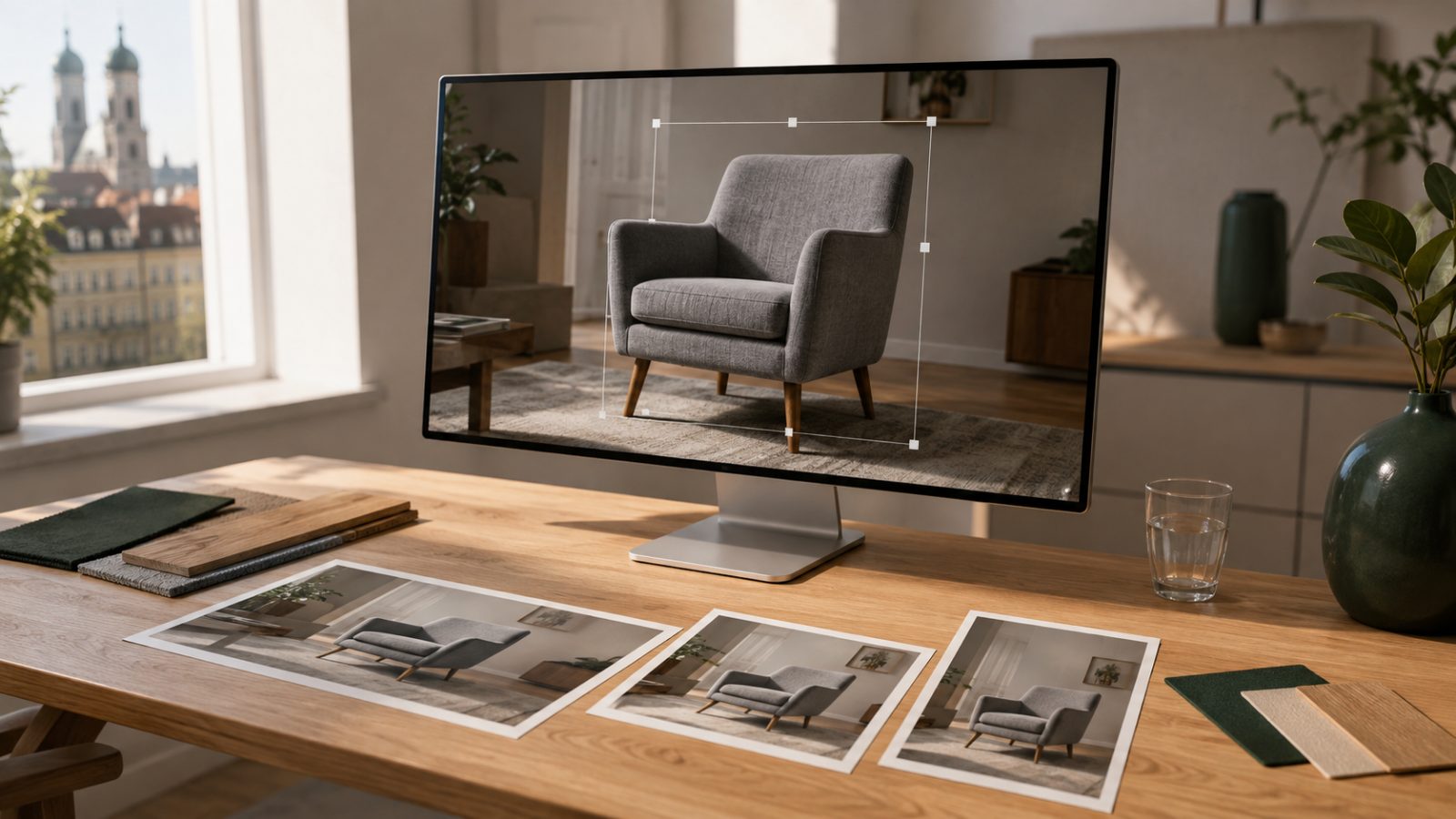
Create a hero image for a Munich furniture brand. A grey fabric armchair is the central object in a bright living room with natural morning light. Realistic commercial photography, eye-level view, 16:9, clean space on the right for a headline. Keep the exact shape and fabric of the armchair in the reference image. No people, no text, no props hiding the product.
Example 2: a targeted fix instead of a new image
Change only the marked wall to a warm stone tone with subtle texture. Keep the product, perspective, lighting, shadows, floor and every other object unchanged.
Example 3: localising a campaign visual for the German market
Replace only the existing headline with "Einfach anders sehen". Keep position, letter size, weight, colour and spacing. Show the sentence once, in correct German, with no additional text.
Even where the tool edits text well, German needs a human eye: umlauts and ß, long compound nouns that break awkwardly, the choice between Sie and du, and hyphenation. For an important asset it is often safer to generate the artwork without text and add the headline in a proper typography tool.
Five business uses where Pics can save time
1. A product in a real context
Upload a clean product shot and try different environments before a full production: living room, office, outdoors, point of sale. Good for pitching an idea, testing a concept and briefing a photographer. If the visual ends up in advertising, make sure the product shown matches what the customer will receive.
2. A family of assets for one campaign
Instead of starting over for every channel, build one base composition, fix the objects, then export the ratios for the deck, the website, LinkedIn and Xing. The value arrives when the team defines what must stay fixed and what may change.
3. Localisation and text changes
Google highlights detecting and translating the text inside an image. For a team working across German, English and other European markets that is a real shortcut, but not a replacement for a native speaker's sign-off and a cultural check. A linguistically correct translation is not always the right marketing message.
4. Visuals for decks and documents
Sales can adapt a product scene for a customer deck, HR can build consistent training material, and a project manager can illustrate a prototype inside a document, without leaving the file they are working in.
5. A prototype before you spend on production
Before a shoot, a print run or manufacturing, visualise packaging, event material, a branded gift or a campaign backdrop. Pics is strong at the question "is this the direction?". It does not replace a production file, colour proofing, usage rights or a print specification.
The organisational trap: more images, less brand
When every employee gets a powerful visual tool, the old bottleneck disappears and a new problem shows up. Each department produces its own style, the product changes shape, brand colours drift and text goes out without approval. The answer is not to block the tool. It is to turn the visual language into a system people can work with.
The nuance most teams miss is that nobody has to opt in for this to start. In its release note for administrators, Google states that Pics "will be ON by default and can be disabled at the domain/OU/group level". An OU — organisational unit — is the Admin console's folder for a group of users, typically a department; an access group is the same idea when your departments do not map neatly onto folders. Turning a Workspace service off is done per OU or per access group, and Google warns that the change "can take up to 24 hours but typically happen[s] more quickly".
What this means for you: if your Workspace is on Rapid Release, Pics arrived for your staff without a rollout meeting. You have three real options — leave it on and govern it, restrict it to one OU for a pilot, or switch it off — and only the second and third need an admin. Deciding nothing is the same as choosing the first.
A minimal brand kit for a team using Pics
- Three to five approved reference images that define lighting, colour, composition and materials.
- Clean product and logo files, with a clear rule on when the model must not alter them.
- A list of allowed and forbidden wording, including marketing claims that need sign-off. In Germany, claims are a legal topic, not only a tone-of-voice topic.
- Prompt templates per task: product, deck, guide, event, localisation.
- A folder structure and file naming that separates draft, in review and approved for publication.
- A named owner who approves external assets, and a fast path for fixing a mistake.
A reference image is not a brand book. It is an anchor. The team still needs to know which details must stay identical and which are open to interpretation.
How many anchors can you actually give it? Google does not publish a reference-image limit for Pics itself. It does publish one for the model family underneath: in the Gemini API documentation for the Nano Banana image models — the model IDs are gemini-2.5-flash-image, gemini-3-pro-image and gemini-3.1-flash-image, and the Gemini 3 generation is documented as supporting up to 14 reference images, with output at 1K, 2K or 4K. Treat that as the ceiling of the engine, not a promise about the Pics interface, which exposes its own smaller set of controls.
What this means for you: three to five reference images is a working brand kit, not a compromise forced by the tool. Spend the effort on choosing images that disagree with each other as little as possible, rather than on collecting more of them.
Privacy, permissions and rights: what a manager in Germany should check
Google positions Pics inside Workspace, so the data-protection terms of your Workspace contract are the starting point. In practice that document is the Cloud Data Processing Addendum — the successor to what Workspace customers used to sign as the Data Processing Amendment. It covers Workspace explicitly, and it is where the GDPR terms, the subprocessor list and the objection right, and the data-processing-location commitments live. It carries no site-wide "last updated" stamp: the effective date is the date your organisation accepted it, so the version your contract points at may not be the version on the page today. That is a question for whoever holds the contract.
Do not assume that a private Google AI subscription carries the same conditions as a business edition. Before a company-wide rollout, read Google's privacy material for Gemini features in Workspace, confirm that your Workspace data processing terms cover these features, and talk to whoever owns GDPR compliance in your company. If your organisation has a works council, involve it early. New software that touches how people work is usually a topic for it, and a pilot is easier to agree than a surprise.
- Decide who may create Pics files, share them outside the organisation and download versions. Your Workspace admin may have Pics switched off entirely; ask before you plan around it.
- Do not upload customer photos, medical material, confidential documents or third-party intellectual property before there is a legal basis and a permission.
- Make sure the team has the right to use the reference images, logos, products and faces that appear in the material.
- Label AI-generated or AI-altered content where context, company policy or your audience's expectation calls for it. This is no longer a future item: Article 50 of the EU AI Act — the transparency article, in force since 2 August 2026 under Article 113 — requires providers to mark synthetic image output "in a machine-readable format and detectable as artificially generated or manipulated", and requires deployers who publish a deepfake to disclose that it was artificially generated. Whether a given campaign visual falls inside that definition is a question for whoever owns compliance in your company, not a question for a marketing manager.
- Keep the source, the prompt, the approved version and the date, especially for advertising and product visuals.
- Define human review for text, numbers, factual claims and anything that could mislead.
A tool that can swap a product, a background and a headline can also produce a convincing picture that is not true. Responsibility for the accuracy of an advertisement, a deck or a training document stays with the company.
Who can use Google Pics right now
According to Google's help centre, Pics is available on desktop in all countries and regions where Workspace accounts are supported, with one explicit exception: it is not available for personal-use accounts in Germany. German is listed among the 29 supported languages for generating and editing images, alongside English, French, Italian, Spanish, Dutch, Polish and others. The English-only restriction that Google does document applies to editing an image from inside Google Docs, not to the standalone app.
Eligibility and arrival are two different things. Google's release note for administrators splits the rollout by release track — a Workspace setting your admin chose, not something a user picks. Rapid Release domains started a gradual rollout on 1 September 2026, Scheduled Release domains on 15 September 2026, and Google allows up to 15 days in each case before the feature is visible. The same note adds a limit that does not appear on the marketing page: using Pics from another surface, such as Slides, counts against your existing image-generation limits rather than against a separate Pics allowance.
| Account type | Plans Google lists as eligible |
|---|---|
| Business and enterprise | Business Standard, Business Plus, Enterprise Standard, Enterprise Plus, AI Expanded Access |
| Education | Google AI Pro for Education |
| Personal | Google AI Pro, Google AI Ultra 5x and 20x (not in Germany) |
| Legacy add-ons | Older Gemini Business and Enterprise add-ons and AI Ultra Access, per the help centre |
Business Starter and free Google accounts are not on the list. Eligibility also does not guarantee that the rollout has reached your account yet. Usage is subject to limits: Google says users have higher access to Pics' generative features at least through 28 February 2027, and that downloading at higher resolutions uses those promotional limits faster. A team process should therefore measure volume, not only quality.
Pics versus Google Photos, Slides and professional design tools
The comparison people reach for is quality, and it is the wrong axis. The four tools below do not compete on how good the picture looks; they compete on where the file lives, who can open it, and what you are allowed to do with it afterwards.
One difference is technical and permanent. Every image a Google image model produces is watermarked: the Gemini documentation states that "all generated images include a SynthID watermark". A watermark here is not a visible logo — Google DeepMind describes SynthID as an invisible marker added at creation and designed to "stand up to modifications like cropping, adding filters, changing frame rates, or lossy compression", checkable through its SynthID Detector portal. That robustness claim is Google's own; there is no independent audit of it in Google's material. Files you make in a conventional design tool carry no such marker.
What this means for you: an image that started in Pics stays identifiable as machine-made even after you crop it into a deck — which is a liability if you were hoping nobody would notice, and an asset if you have to demonstrate compliance with the EU AI Act's marking rule above.
| Tool | Mainly for | When to choose it |
|---|---|---|
| Google Pics | AI-based creation and editing inside Workspace | You need a tailored visual quickly and want to share it with the team |
| Google Photos | Storing, organising and editing personal photos | Your centre of work is the personal photo library |
| Google Slides | Story, layout and presentation | The image is part of a deck, not the deliverable itself |
| Professional design tools | Precise retouching, vectors, print colour, complex source files | The asset needs pixel-level control or a production specification |
Pics can remove many steps, but it does not turn every output into a production file or an approved brand design. The choice is not "Pics or a designer". The smart choice is which steps move to Pics, and where design expertise still prevents an expensive mistake.
A 14-day pilot for a marketing, sales or training team
Fourteen days is enough because you are not evaluating an image generator. You are evaluating whether the review-and-approve loop your company already runs gets faster or slower when the first draft appears in ninety seconds.
Budget the pilot honestly. There is no line item called Pics: it is included in the seat you already pay for, and Google's German storefront listed Business Starter at 6,80 €, Business Standard at 13,60 € and Business Plus at 21,10 € per user per month, billed monthly, with a 50 % discount on the first three months running to 20 December 2026 (prices checked 6 September 2026; the page does not state whether VAT is included, so confirm that with your reseller). Business Starter does not include Pics, so for a Starter domain the real pilot cost is the upgrade to Standard — roughly 6,80 € per person per month more — multiplied by the people in the pilot, plus their time.
What this means for you: if six people take part for a month on an upgrade from Starter to Standard, the licence side of the pilot is a two-figure sum. Every number that matters after that is staff hours, which is why the metrics table below measures time and rework rather than images produced.
- Days 1 to 2: pick three recurring tasks, for example an image for a deck, adapting an asset for social media, and illustrating a product or a process.
- Days 3 to 4: collect approved sources and define brand anchors, details that must never change, and data rules. Loop in the works council and the data-protection owner.
- Days 5 to 7: two employees do the same tasks in Pics and in the current process, and log time, corrections and outcome.
- Days 8 to 10: test targeted edits, format changes, German text in images, and sharing from Drive, Docs or Slides.
- Days 11 to 12: a designer or brand owner checks consistency, and a colleague checks that the asset is clear without knowing who made it.
- Days 13 to 14: decide which tasks are approved, build templates, and define who creates, who checks and who publishes.
| Metric | How to measure |
|---|---|
| Time to first version | Minutes from brief to a reviewable image |
| Time to approval | Including corrections, waiting and handovers between tools |
| Brand consistency | Score 1 to 5 against criteria agreed in advance |
| Product and text accuracy | Number of material errors per asset |
| Reuse | How many assets came from the same approved source |
| Total cost | Licences, staff time, designer time and corrections. Pics has no separate price; the seat does. Google's German storefront lists Business Standard at 13,60 € per user per month (checked 6 September 2026) |
Compare the whole process, not only the seconds it takes to generate. Review and approval are sometimes more expensive than the first draft.
Bottom line
Google Pics matters because it brings visual creation and editing into the environment where teams already store, share and present their work. It can shorten concepting, corrections, format adaptation and localisation, but only if the organisation adds what no generator can decide on its own: what the brand is, what is factually true, what may be shared and who signs off on publication.
Two dates should be in your calendar rather than in your memory. Google's administrator note says Pics is on by default and reaches Scheduled Release domains from 15 September 2026, with up to 15 days before staff see it — so the governance conversation is due now, not when someone asks for it. And Google's availability page commits to higher access to Pics' generative features only "at least through February 28, 2027", after which the allowance may be cut. Any business case that assumes today's volume is free after that date is assuming something Google has not promised.
The benefit of Pics will not be measured in how many images a team produces, but in how quickly it reaches an asset that is correct, consistent and approved.
FAQ
What is Google Pics?
An image creation and editing tool built on Google's Nano Banana model and integrated into Google Workspace. It generates images from prompts, edits objects, regions and text, and works with Drive, Docs and Slides.
Is Google Pics available in Germany?
For business Workspace editions, yes, according to Google's availability page. For personal-use accounts in Germany, Google states it is not available. German is a supported language for generating and editing.
Which plans include it?
Google lists Business Standard and Plus, Enterprise Standard and Plus, AI Expanded Access, Google AI Pro for Education, and the personal Google AI Pro and Ultra plans. Business Starter and free accounts are not listed. The rollout is gradual.
How do I open Google Pics?
On a desktop, open pics.new from an eligible account, create a file from Drive, or edit an image from Google Docs or Slides once the integration has reached your account.
Does Pics replace a designer or a professional editing tool?
Not for every task. It is excellent for fast creation, variations, targeted edits and reformatting. Complex retouching, vector work, print colour, precise typography and production files may still need professional tools and expertise.
Can I export 4K images?
Google's product page mentions upscaling to 4K. High-resolution downloads use your promotional limits faster, and availability depends on your plan and the rollout.
How do we roll it out to a team?
Start with three recurring tasks, collect approved brand sources, define prompt templates and quality checks, and run a 14-day pilot that measures time, accuracy, consistency and cost before expanding.
Do we have to switch Pics on, or is it already on?
Already on. Google's release note states the product "will be ON by default and can be disabled at the domain/OU/group level". If you want it off, or restricted to one department for a pilot, an administrator does that in the Admin console; Google says such a change "can take up to 24 hours but typically happen[s] more quickly".
When exactly does it appear for our domain?
It depends on your release track. Per the same release note, Rapid Release domains began a gradual rollout on 1 September 2026 and Scheduled Release domains on 15 September 2026, with up to 15 days in each case before the feature is visible.
Are the images watermarked?
Yes, invisibly. Google's Gemini image documentation states that "all generated images include a SynthID watermark", and DeepMind describes SynthID as designed to survive cropping, filters and lossy compression. That durability claim is Google's own; we found no independent audit of it.
Does the EU AI Act mean we must label these images?
Possibly, and the deadline has already passed. Article 50 has applied since 2 August 2026; it requires providers to mark synthetic output machine-readably and requires deployers publishing a deepfake to disclose it. Whether a specific campaign visual counts is a question for your compliance owner, not something this article can answer for you.
How many edits can I make at once?
Google documents up to five changes to individual elements stacked before you click Apply edits. Aspect ratio is a separate dropdown — 16:9, 1:1, 4:3 and others — rather than something you describe in the prompt.
What does Pics cost on top of Workspace?
Nothing separate; it is included in eligible seats. What you pay for is the seat: Google's German storefront listed Business Standard at 13,60 € per user per month (checked 6 September 2026). Business Starter is not on the eligible list, so a Starter domain has to upgrade.
ISA After Hours AI · Augsburg
Want to work through this with people who use these tools every week?
ISA After Hours is a community of Israeli and international tech professionals in Augsburg. We meet after work, compare notes on AI tools, and help each other get real work done.
Join ISA After Hours →Official sources
- blog.googleGoogle: "Try Google Pics: Easy image creation and editing in Google Workspace" (1 September 2026)
- workspace.google.comGoogle Workspace: Google Pics product page
- support.google.comGoogle Docs Editors Help: Learn about Google Pics availability
- support.google.comGoogle Docs Editors Help: Get started with Google Pics
- support.google.comGoogle Docs Editors Help: Edit your Docs images with Google Pics
- support.google.comGoogle Docs Editors Help: Edit images with Google Pics — element edits, the five-change limit, aspect ratios
- workspaceupdates.googleblog.comGoogle Workspace Updates: Google Pics brings pro-level AI image creation and editing to Google Workspace — rollout tracks and admin controls
- knowledge.workspace.google.comGoogle Workspace Admin Help: Turn a service on or off for Google Workspace users
- ai.google.devGemini API documentation: image generation with the Nano Banana models — model IDs, SynthID, reference images, resolutions
- deepmind.googleGoogle DeepMind: SynthID — how the invisible watermark works and how to check it
- workspace.google.comGoogle Workspace pricing, German storefront (prices checked 6 September 2026)
- cloud.google.comGoogle: Cloud Data Processing Addendum — the GDPR terms covering Google Workspace
- artificialintelligenceact.euEU AI Act, Article 50: transparency obligations for providers and deployers of certain AI systems