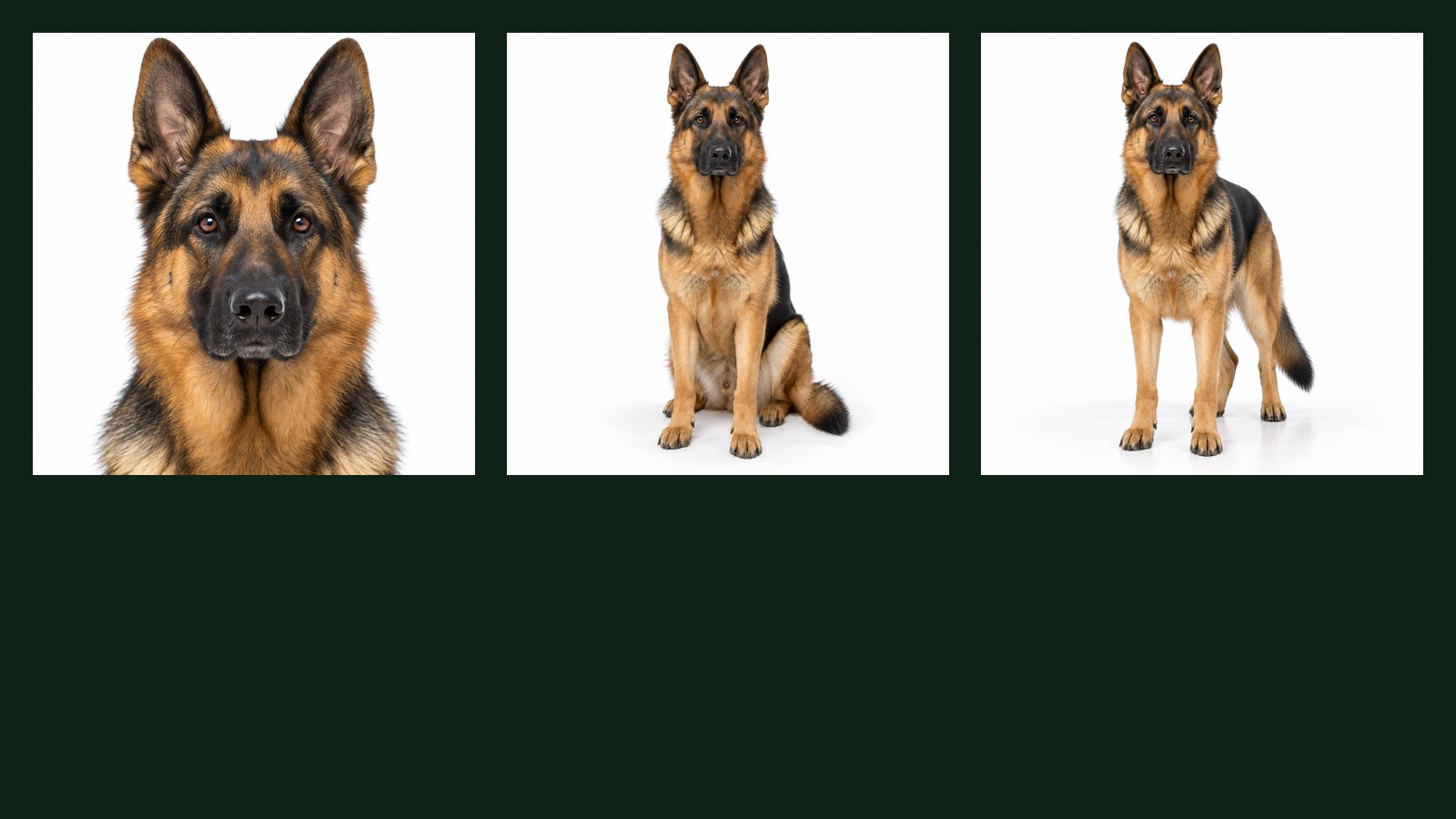
Short version
Hold everything in your picture still and change exactly one word. The change you see is what that word is worth. This piece runs that test twice on the same dog — once on how the shot is framed, once on how it is lit — and publishes the prompts alongside the results. It also publishes the run where every single keyword did nothing, because the reason it failed is the most useful thing here: our own description of the dog was so detailed that it left the keyword no room. The method, and the caution, come from Tianyu Xu's free GPT Image guide; the dog, the runs and the failures are ours.
See the word, see the picture
Most advice about generating images is a list of adjectives to paste. You paste them, something comes out, and you have no idea which word did what. So you add more words, and the picture drifts somewhere else entirely, and after twenty minutes you are negotiating with a slot machine.
The alternative takes the same twenty minutes and teaches you something you keep. Fix the subject. Fix the background. Fix the camera. Then change one word and look at what moved. Tianyu Xu, who wrote the guide this piece adapts, puts it plainly: "See the keyword, see the example, then use it."
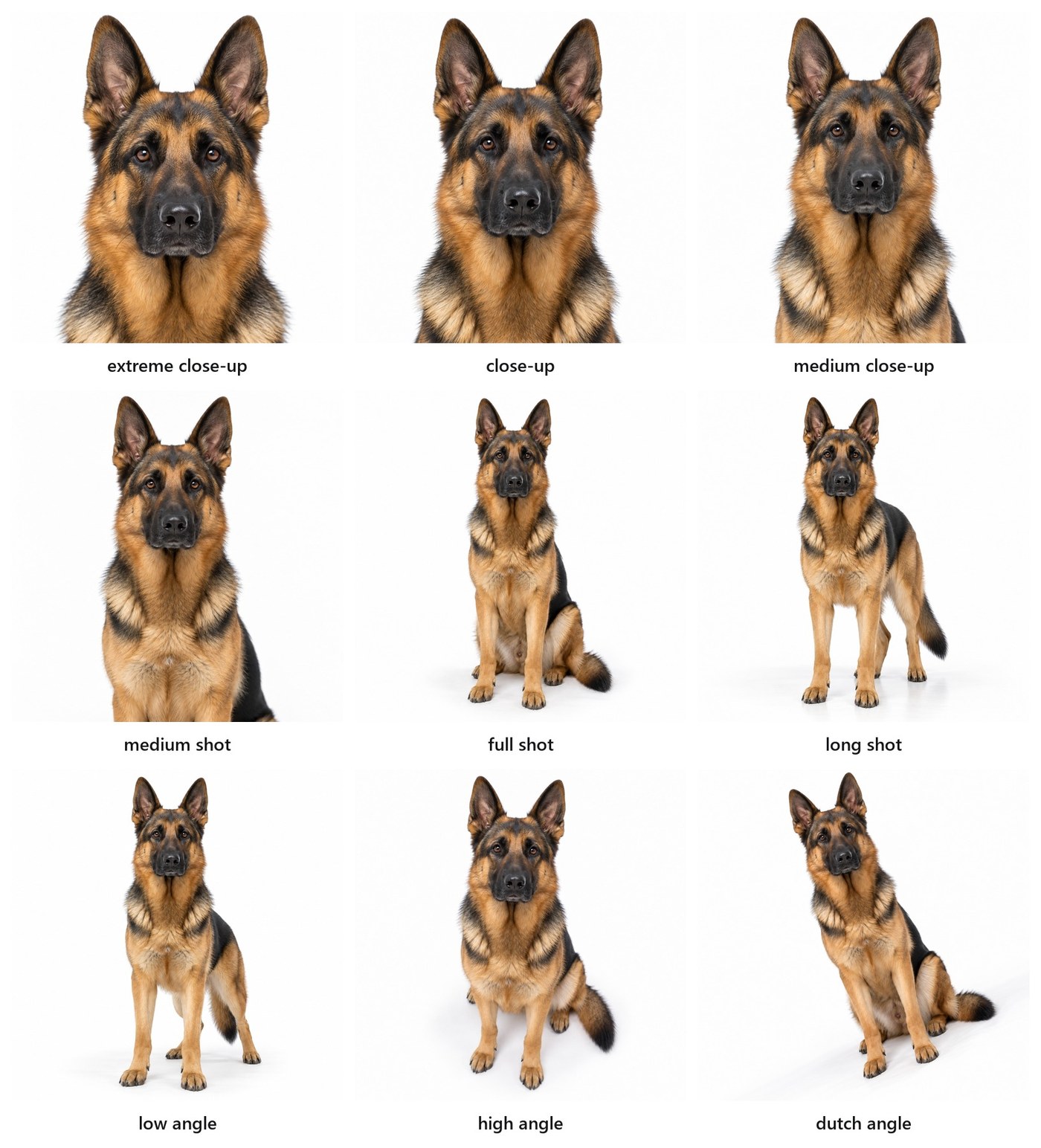
So here is the first one. The subject is a German Shepherd we generated once and then held constant. The only thing that changes from cell to cell is the framing word underneath it.
The prompt we sent, nine times
Use the image at base.png as an identity reference for the dog: the same German Shepherd, same markings, same face. Generate a new photographic image, square 1:1, of that same dog, plain white background. [KEYWORD].
Read the first six left to right and you can feel the camera walking backwards: a face that fills the frame, then a head, then a chest, then a seated dog, then a standing one with room around it. Six words, six decisions a photographer would otherwise have to explain in a paragraph.
The last three are the interesting ones, because they mostly did not work. "Low angle", "high angle" and "dutch angle" ask the camera to move rather than the frame to crop, and all three came back close to eye level. Only the dutch angle shows a trace of what was asked, in the tilt of the dog's head. Keep that in mind when you read any list of magic words, including this one: some of them are worth far less than the list implies, and the only way to find out which is to run them and look.
What this means for you: when a picture comes out wrong, the fix is usually one word in the right slot, not a longer paragraph. Knowing which slots exist is the whole skill.
The method: hold everything still, change one word
The method has a name in the guide — single-variable exploration — and one rule: "hold the character constant, change one style keyword, and inspect the result." The guide is also honest about what that produces: "These plates are visual examples, not controlled benchmarks."
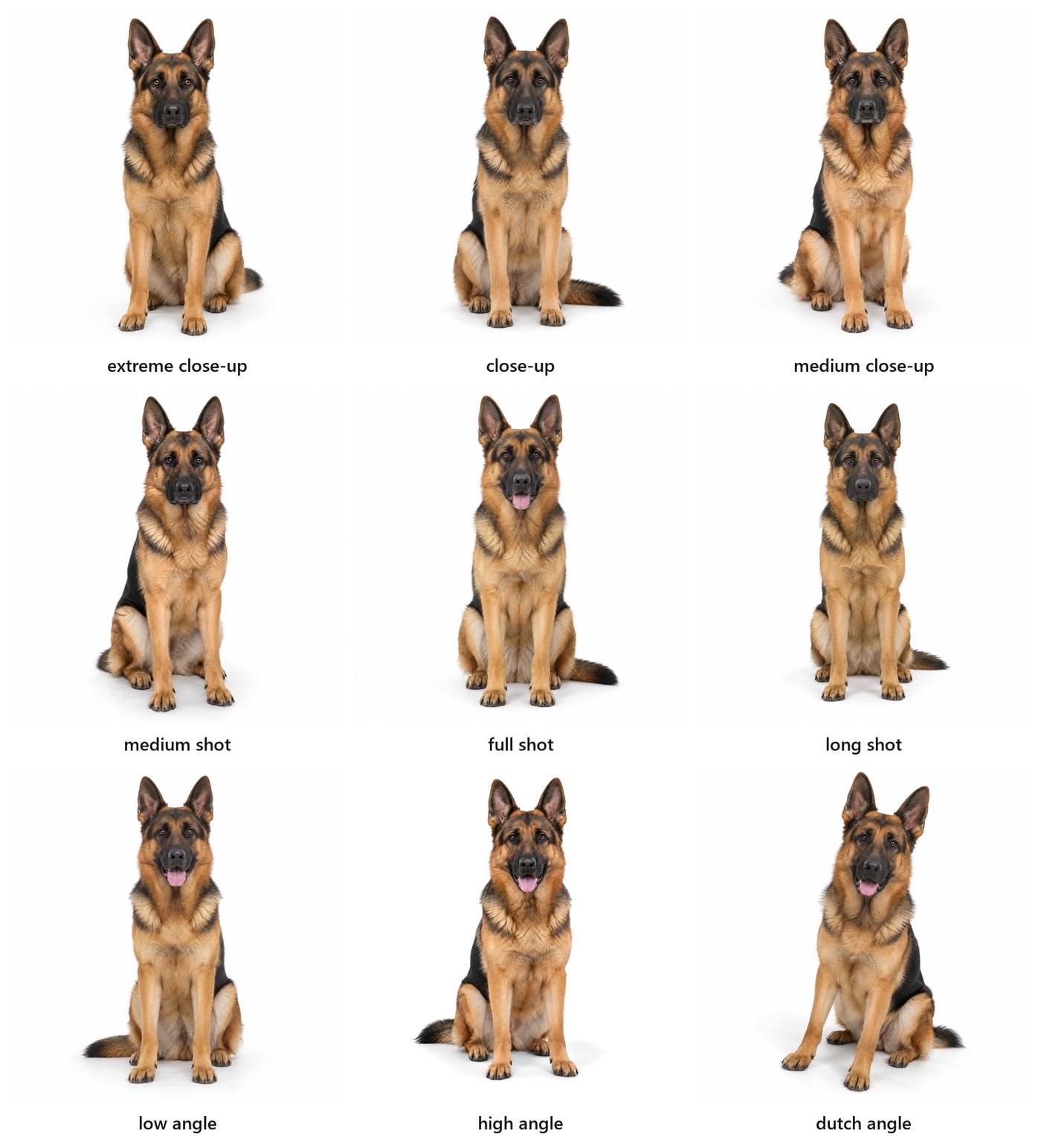
We can be more honest still, because our first attempt at the grid above failed completely. Here is that run. It is the same nine framing words, sent the same number of times.
The prompt that produced nine identical pictures
A single adult German Shepherd dog, sitting upright and facing the camera: erect pointed ears, a black saddle over the back and shoulders, rich tan legs and chest, a black mask across the muzzle, dark alert eyes, a dense short double coat. The dog is alone on a completely plain seamless pure white studio background, colour hex #ffffff, with neutral grey shadows. Absolutely nothing else in the frame: no collar, no leash, no props, no furniture, no people, no hands, no text, no lettering, no numbers, no logos, no watermark, no border. Square 1:1 aspect ratio, photographic, realistic. [KEYWORD]. The lighting is soft even neutral studio lighting.
Compare the two prompts. The failing one is not worse written; it is more thorough. It specifies the pose, the markings, the exact background colour, the shadows, and a list of eleven things that must not appear. By the time the keyword arrives at the end, the picture has already been decided. The word has nothing left to change.
We checked that this was the cause rather than a guess. Cutting the description down to A German Shepherd dog, plain white background, photographic. made every keyword work immediately — and cost us the dog, which stood up, changed shape and stopped being the same animal between pictures. Putting the pose back killed the keywords again.
What this means for you: there is a trade in every image prompt between holding your subject still and leaving your keyword room to work. Describe less than feels safe, then test. If your last five pictures all look the same, your prompt is too specific, not too vague.
Photography: shot, camera, film, light, era
Photography is the biggest family of keywords because a photograph has the most dials. The guide groups them into eight: shot type, camera brand, camera effect, film stock, filter, lighting, decade, and product angle. You have seen shot type already. Here is lighting, run the same way on the same dog.
The prompt we sent, nine times
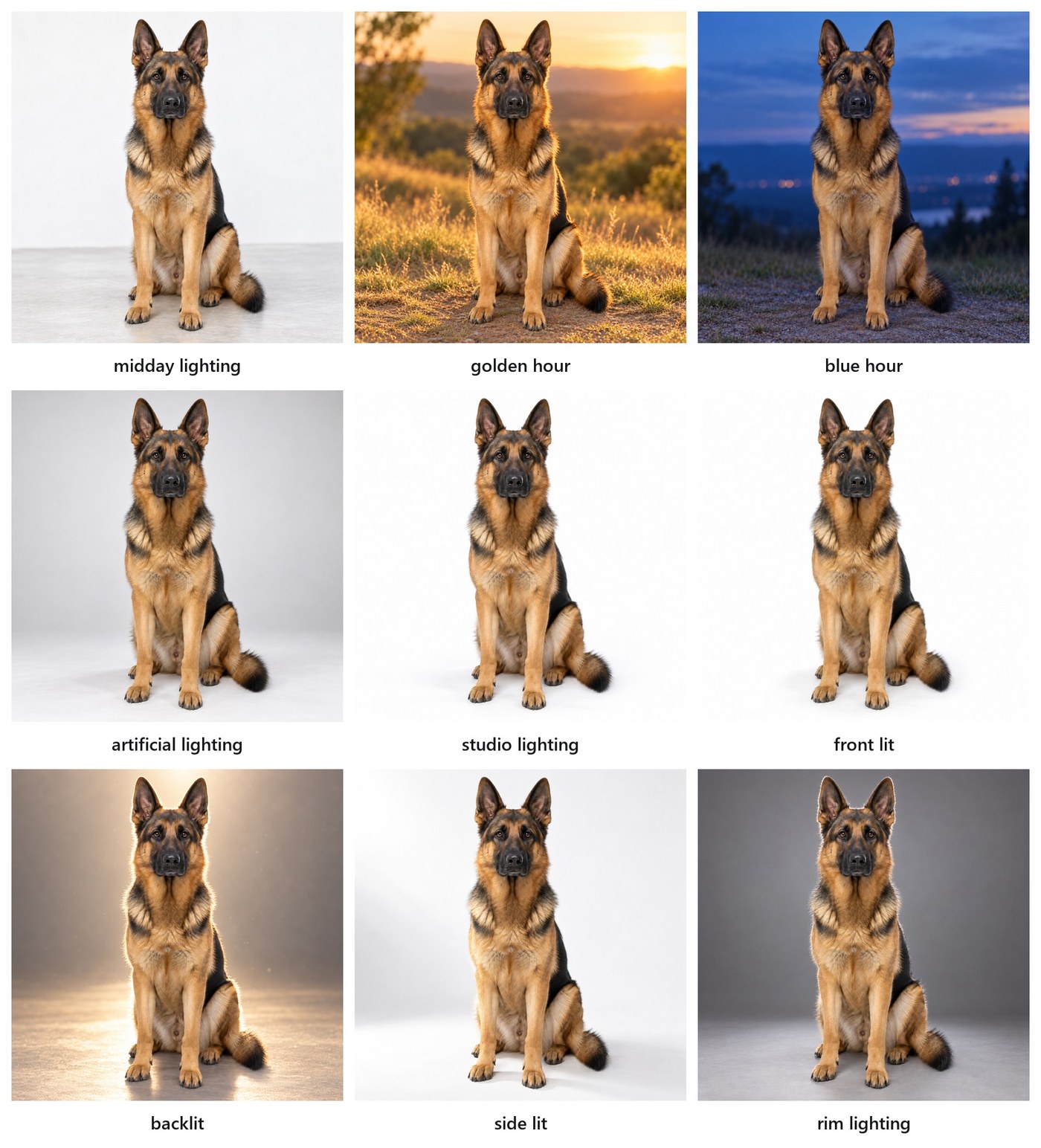
Use the image at base.png as an identity reference for the dog: the same German Shepherd, same markings, same face, seated, facing the camera, filling the same amount of the frame. Generate a new photographic image, square 1:1, of that same dog. [KEYWORD].
Our first attempt at this grid kept the words "plain white background" in the prompt, exactly as the framing grid does. Every cell came back as the same white studio shot. The reason is worth a moment: a white seamless background is a lighting instruction. It describes an evenly lit room. Asking for backlight inside it is asking for two contradictory things, and the more concrete one wins. Deleting three words from the prompt produced the grid above.
Deleting them cost something too. With no background specified, the light brought its own world: golden hour walked the dog onto a hillside at sunset, blue hour put a lake and a distant town behind it. That is the honest trade. If you need your subject on white, you can have consistent backgrounds or dramatic light, but you will fight to have both in one sentence.
Lighting words are worth more than framing words to most people who are not photographers, because light is what makes a picture feel expensive or cheap, warm or clinical, morning or midnight. "Golden hour" and "blue hour" are the same hillside an hour apart, and they say completely different things about the mood of what you are showing. Three of the nine — midday, studio and front lit — still look alike, because all three describe flat even light, which is what you get by default anyway.
The other six photography families work the same way, and the guide lists them cell by cell: camera bodies from a Kodak No. 1 of 1888 to an iPhone 16, film stocks from Portra 400 to Tri-X, effects like silhouette, double exposure, tilt-shift and infrared, and a decade word — 1920s, 1970s, early 2000s — which the guide calls the cleanest way to time-travel without writing a paragraph of context. A decade keyword pulls in clothing, furniture, palette and grain all at once.
What this means for you: for product and team photographs, the two dials with the highest return are shot type and lighting. Learn nine words in each and you can brief a picture as precisely as a photographer would.
Art and medium: from cave painting to pop art
Photography assumes a lens. Nothing else in the history of pictures does. The second family of keywords drops the camera entirely and asks for the same subject as an object made by hand — painted, carved, printed, drawn.
The guide's advice here is the most practically useful sentence in the whole book: anchor the keyword to a century and a medium, not to a vibe. "Prehistoric cave painting" works. "4th century BC Greek pebble mosaic" works better. "12th century Byzantine tempera icon" collapses palette, materials, surface and convention in one phrase, because those four things genuinely travelled together. "Artistic" does nothing at all.
The same holds for modern styles: name the medium and the era — 16th century woodcut, mid-century screen print, 1990s marker comic — rather than naming an artist. You get a more reliable result, and you are not asking a machine to imitate a living person's signature.
What this means for you: if you want an illustration that does not look like every other AI illustration, the fastest route is a century and a material, not more adjectives.
Storyboard and poster: panels, grids, layouts
The third family is about arrangement rather than surface: how many pictures share the frame, and how they are stacked. Storyboard keywords — a three-panel strip, a six-up grid, a comic page — tell the model to produce a sequence in one image rather than a single scene. Poster keywords add type and hierarchy: a title block, a date line, a credit strip along the bottom.
This is the family where aspect ratio stops being a technicality. A poster wants portrait, a storyboard wants widescreen, a social card wants square, and asking for the wrong one produces a layout that has to crush itself to fit. The guide's own case study runs one poster through portrait, square and widescreen to show how differently the same content has to be arranged in each.
It is also the family where you must check the words in the picture. Text inside a generated image is the thing most likely to come out subtly wrong — a doubled letter, a date that drifted — and it is the thing a reader notices first.
What this means for you: set the shape of the canvas before you write a word of the prompt, and read every letter in the result before it leaves your desk.
Screens and infographics: name the style, then inspect
The last two families are mockups — app screens, website layouts, product shots on devices — and infographics: cheat sheets, comparison boards, labelled diagrams. They behave like the poster family, with one extra hazard. A generated interface looks convincing from two metres away and falls apart up close: menus with plausible nonsense in them, charts whose bars do not match their numbers, labels pointing at the wrong thing.
That is fine when you need a picture of a product for a slide. It is not fine when someone might read the numbers as real. The rule that keeps you out of trouble: a generated infographic is an illustration of a shape, never a source of data. If the numbers matter, put real numbers in with a tool that draws them.
What this means for you: mockups for atmosphere, yes. Anything a colleague might quote back to you, no.
Set the controls, then write the brief
Before the words, two settings decide more than people expect.
The canvas comes first. Pick the aspect ratio for where the picture will actually live — portrait for a poster, widescreen for a deck, square for a plate like the ones above — before you describe anything. Cropping afterwards throws away the part of the composition the model worked hardest on.
Effort comes second. Where your interface exposes a quality setting, start in the middle and raise it only when you have a specific problem that needs it. Higher effort is not a general improvement; it is a fix for a particular failure.
Then the brief. For an edit — changing a picture you already have — the guide offers a four-line shape that is worth stealing wholesale, because it separates what should change from what must survive:
CHANGE: the poster layout to 4:5.
KEEP: host identity, event title, date, time and URL.
REFLOW: title, image and schedule for portrait reading.
CHECK: every word, the crop and the smallest text.
The CHECK line is the one people skip, and it is the one that catches the doubled letter in the date.
What this means for you: canvas, then effort, then words. And for any edit, say out loud what must not move.
Beyond prompting, there is context
The guide ends somewhere unexpected for a book of keywords: "More important than prompt writing is context engineering." Prompting, it argues, is one small part of the job. The larger part is what you give the model to work from — a reference image for identity, a real document for the facts, a brief for the direction.
We proved that accidentally, and painfully, in the failure earlier in this piece. We tried to hold our dog constant with words, and the words that held the dog also strangled every keyword. The way out was not a better sentence. It was generating the dog once and then handing that picture back to the model as the identity reference for all nine cells. The prompt got shorter and the results got better at the same time.
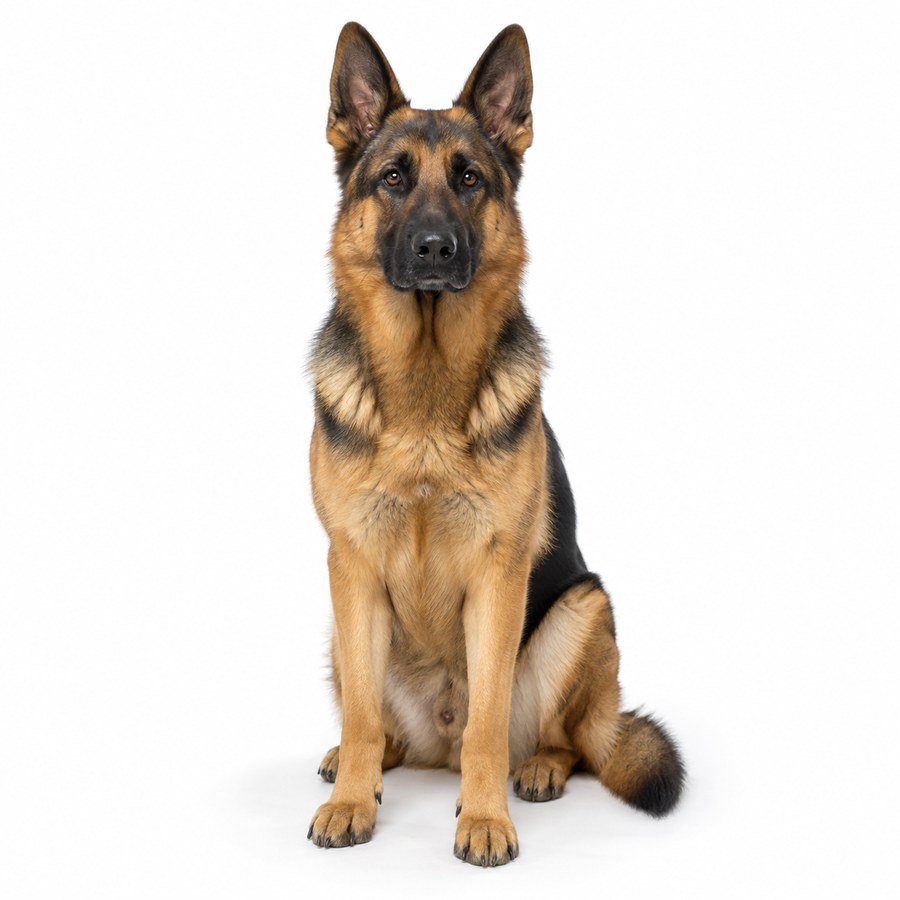
The one picture everything else was built from
A German Shepherd dog, plain white background, photographic. Camera framing: medium shot, the whole dog centred in the frame. The lighting is soft even neutral studio lighting.
What this means for you: when you need the same person, product or place across a set of images, stop describing it harder. Make it once, keep the file, and attach it.
Your first hour
If you want the skill rather than the anecdote, this is the hour that buys it.
Minutes 1 to 10. Pick one subject you actually need — a product, a room, a mascot, a dog. Generate it once, plainly, with a short prompt. Save that file. It is now your reference.
Minutes 10 to 30. Run the framing list against it: extreme close-up, close-up, medium close-up, medium shot, full shot, long shot, low angle, high angle, dutch angle. Change nothing else. Put the nine results side by side and look at them as a set, not one at a time.
Minutes 30 to 50. Do it again with the lighting list: midday, golden hour, blue hour, artificial, studio, front lit, backlit, side lit, rim lighting. You will find two or three that you will use for the rest of your working life.
Minutes 50 to 60. Write down which keywords did nothing. That list is worth as much as the successes, because it tells you where your prompt is over-specified — and you now know the fix.
The guide that this method comes from is free, it is fifty-six pages, and it is built to be looked at rather than read. Tianyu Xu's own instruction is the right one to end on: look, test your own prompts, and trust the picture in front of you over anybody's description of it.
Official sources
- Tianyu Xu, The Ultimate GPT Image 2.5 Guide — the free 56-page guide this piece adapts: the single-variable method, the keyword families, and the context-engineering note it closes on.
- Tianyu Xu on LinkedIn — the author, a generative-AI educator based in Singapore.
- OpenAI, image prompting guide — the official guidance on describing edits and separating what changes from what stays.
Every picture in this article was generated by us for this article, using the keyword lists the guide publishes. None of the guide's own plates are reproduced here. Each figure carries the exact prompt that produced it, and the failures are published alongside the successes.